
Grow monitoring on your phone or on your own controller.
ClearGrow scales from a few houseplants to a commercial greenhouse. Small wireless probes measure your plants and the air, water and light around them. Every battery probe works with just the ClearGrow app on your phone. A touchscreen controller on site runs every probe and module locally, with modules that water your plants, dim your lights and switch your equipment. A phone setup can be upgraded to a controller, and your probes move over. No cloud needed, no subscription needed, and cloud extras such as backups are optional.
- Shipping 2027
- Starter kits under $450
- No subscription needed

Two ways to run ClearGrow
Run your probes with the ClearGrow app on your phone, or with a controller. Each works on its own. The hydro, air quality and CO2 probes are powered over USB and run with a controller.
With your phone
Probes and the ClearGrow app. No controller needed.
- Every battery probe works with the app alone, read over Bluetooth.
- The latest readings whenever the app is open near the probe.
- The app collects the readings the probe kept while your phone was away, and keeps your history.
- Start the water pump or the dosing pump by hand.
- No alerts or notifications, no automation and no remote access.
With a controller
A controller on site runs everything locally.
- Probes and modules join its wireless mesh, and a repeater extends the range.
- Live readings, history, rules, schedules and alerts, with no internet connection needed.
- Automation: the pump waters, the dimmer ramps your lights and smart plugs switch equipment.
- One controller runs several grow zones.
Upgrade to a controller
A phone setup can be upgraded to a controller. The app leads the move, and your probes keep their names, settings and the history you collected.
The products, and how they connect
Probes and modules join the controller's wireless mesh, the controller runs it all locally, and a repeater extends the range. Every battery probe works on its own with just the ClearGrow app.
Controllers
ClearGrow Controller 7
The 7-inch touchscreen hub. It forms the network and runs your zones, rules and alerts, locally.
ClearGrow Controller 5
The same controller with a 5-inch screen: the entry model.
Controller Mini
Screenless controller, set up from the app.
Repeater
Extends the network to a far tent, room or shed.
Probes
Soil probes
Moisture at up to three depths.
Climate probe
Temperature, humidity and VPD.
Light probe
PPFD and daily light integral.
Leaf probe
Leaf temperature and leaf VPD.
Hydro probe
Reservoir pH, EC and temperature.
Reservoir level probe
Tank fill and water temperature.
Leak probe
Wet or dry; with a controller, an alert at once.
Door and light leak probe
Door openings and dark-period light.
Air quality probe
VOC, NOx and particulates. Indoor only.
Substrate temperature probe
Root-zone temperature.
CO2 probe
CO2, temperature and humidity. Indoor only.
Float level probe
Empty, low, ok or full.
Modules
Water pump
Waters up to four plants from a jug.
Dosing pump
Doses pH and nutrients from the hydro probe's readings.
Dimmer
Four 0–10 V channels with ramps.
Hose valve
Turns a hose on, on a schedule.
Works with
Home Assistant and MQTT
MQTT discovery for readings; MQTT for your software.
REST API
Read your data from your own software.
Smart plugs
Third-party Matter-over-Thread plugs for fans and heaters.
Cameras
Works with standard IP cameras: stills, timelapse and a photo with each alert.
ClearGrow cloud
Backup and remote access from anywhere. Optional; works fully without it.
ClearGrow app
iPhone and Android. Reads a probe over Bluetooth on its own. With a controller, it works on your network and alerts your phone. Reaches the water pump and the dosing pump over Bluetooth.
Out of range? Add a repeater. Every piece works with or without one.
How it works
-
Place your probes
Push a soil stake into a pot, set a climate probe in the tent, put a hydro probe in the reservoir.
-
Connect them
Pair a battery probe with the ClearGrow app over Bluetooth, or let any probe join a controller's Thread wireless mesh. Always-on devices relay for the others, and each device has its own key, so readings and commands are authenticated.
-
Read and watch
On your phone, the latest readings and the history the app collects. On a controller, live readings, history, rules and alerts on the touchscreen, all stored and run locally.
-
Modules act
With a controller, the pump and the hose valve water, the dimmer ramps your lights and smart plugs switch equipment, within the limits you set.
See it and try it
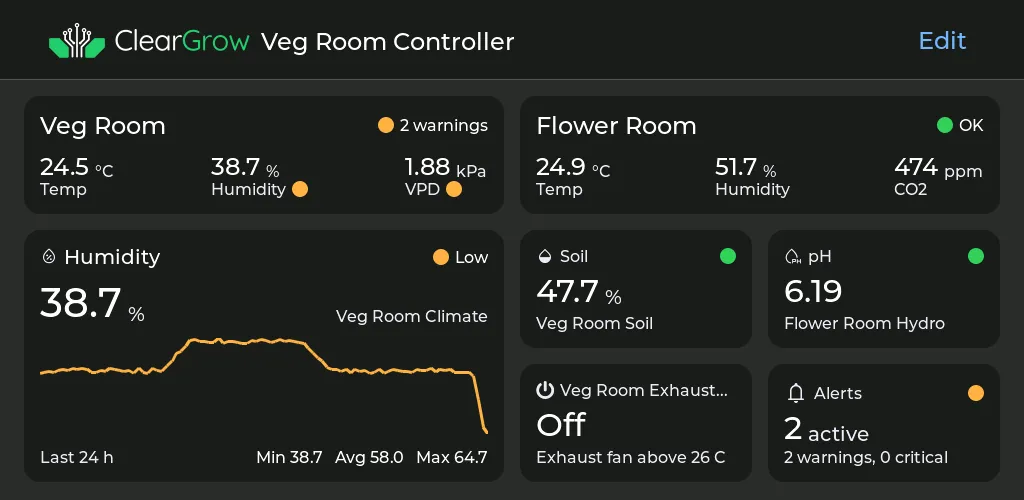
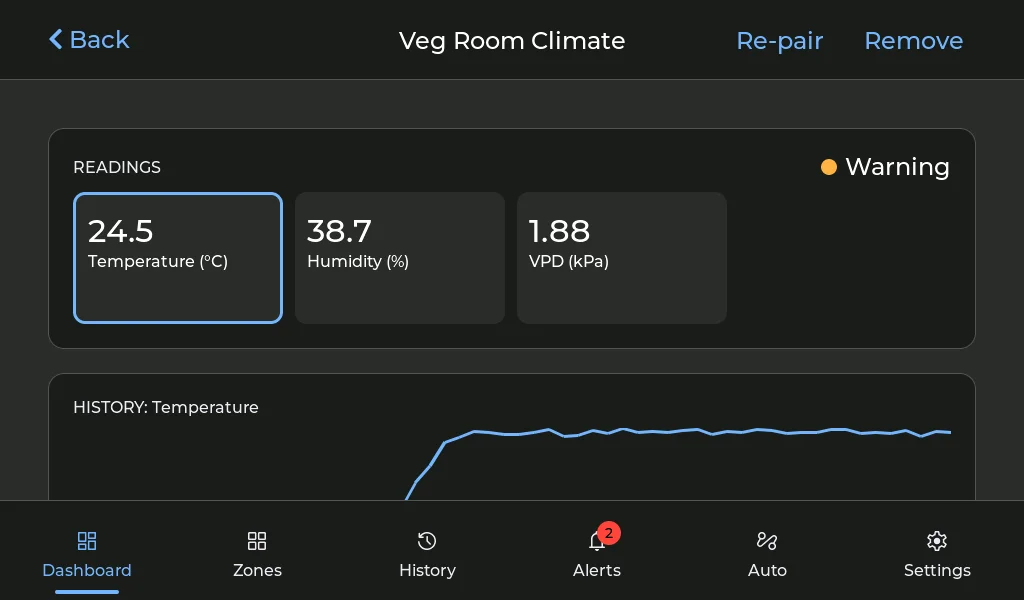
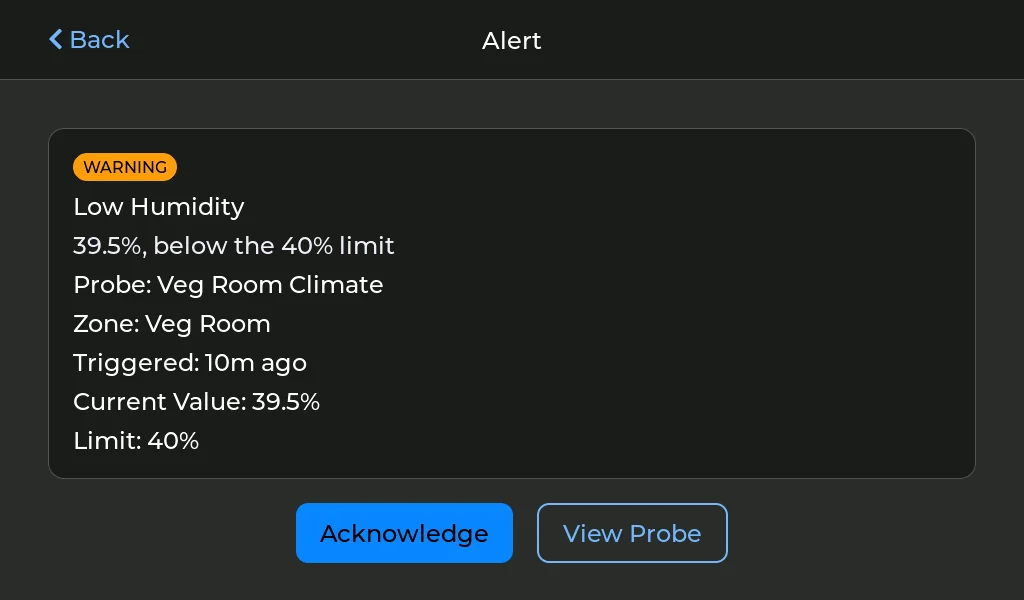
Controller 7's touchscreen and the ClearGrow app, with simulated data.
Controller 7
The demo runs Controller 7's real touchscreen software in your browser, on two simulated grow zones: tap, drag and scroll as on the panel. Pairing, Wi-Fi and updates aren't in it, and webhooks don't send. It loads about 0.5 MB when you start it.
The app
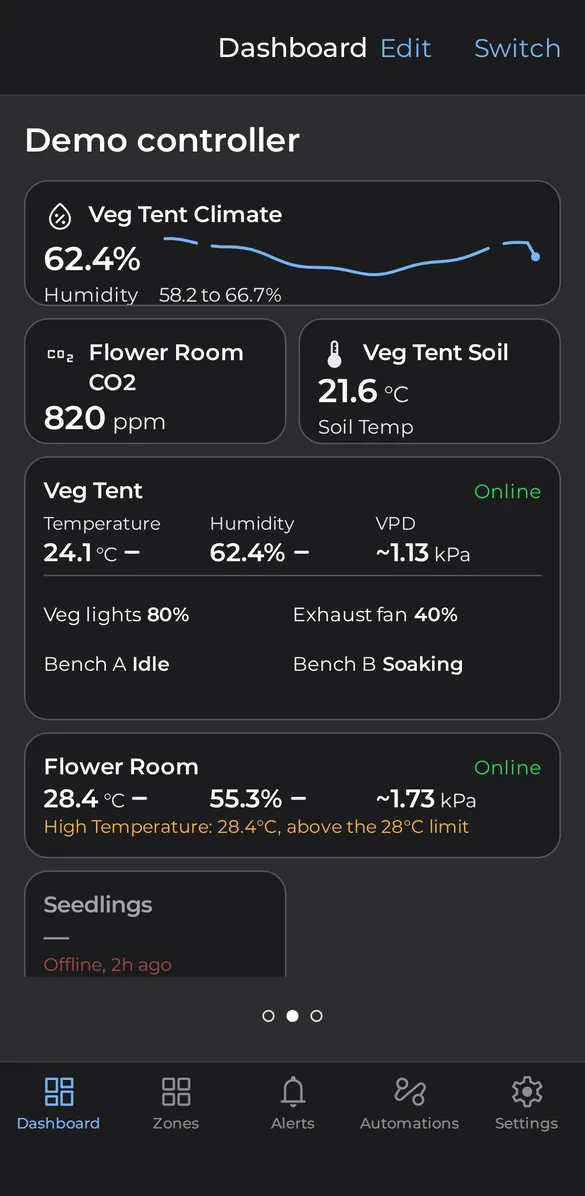
The dashboard, demo data 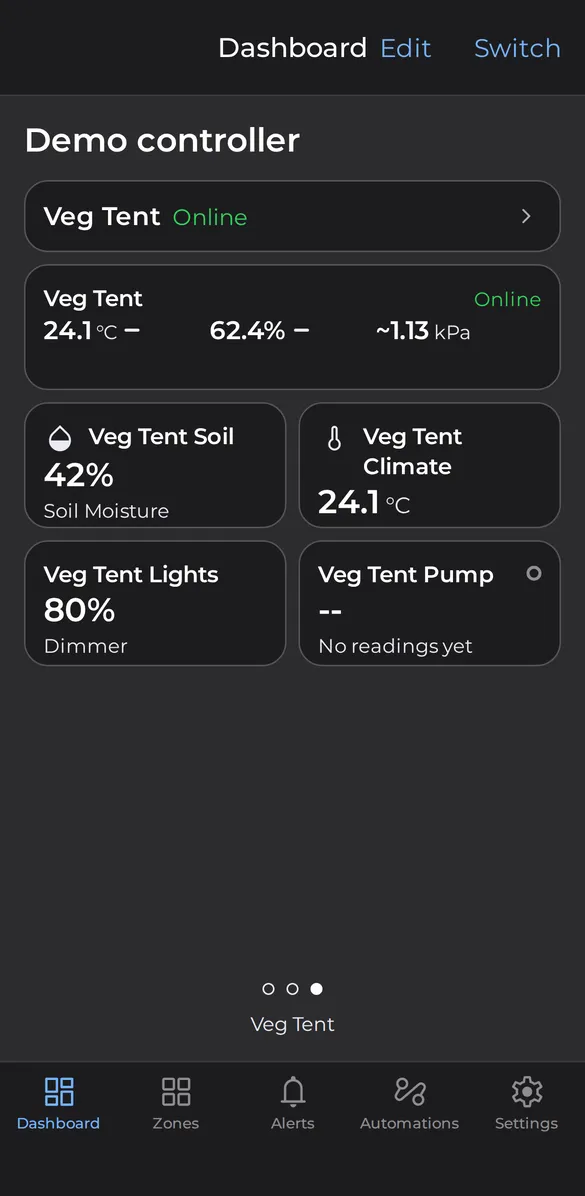
The dashboard's page for one grow zone, demo data 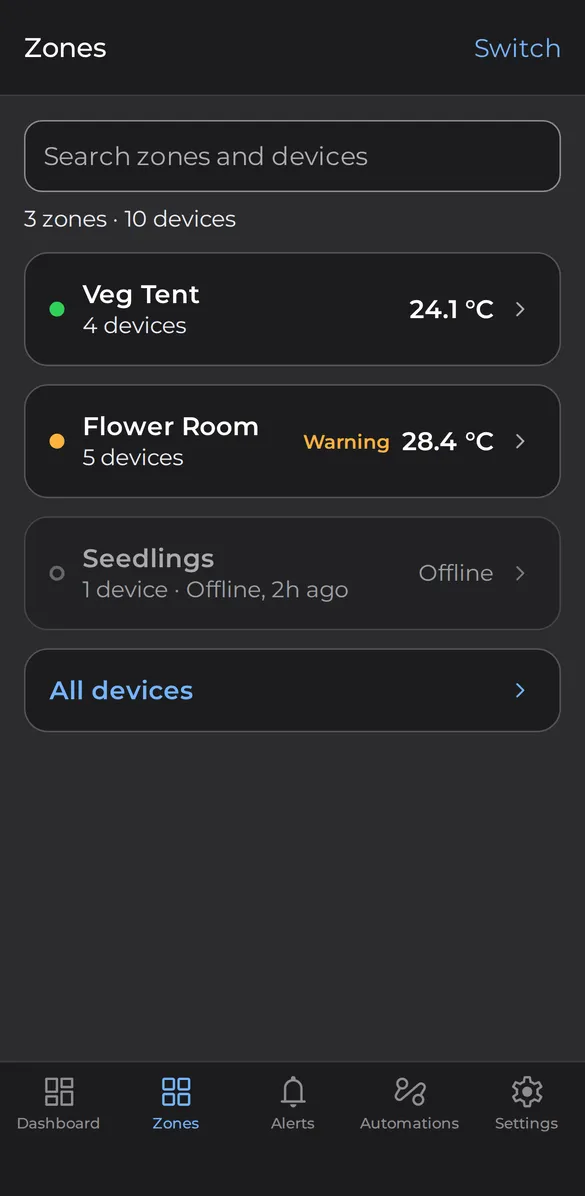
The zones list, demo data 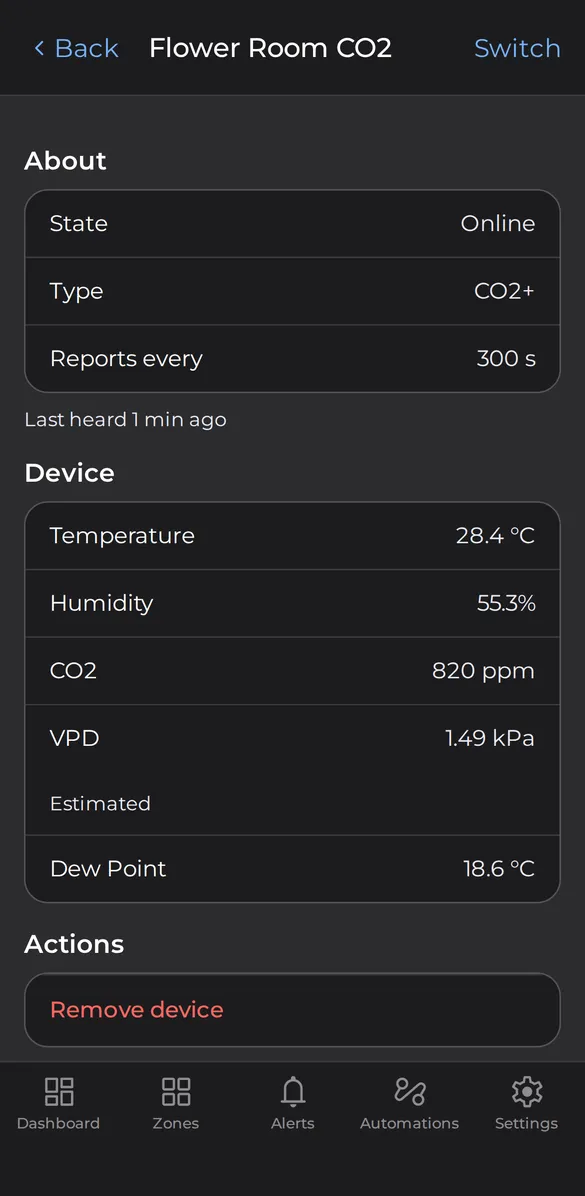
A probe's readings, demo data
Questions
Do I need a controller?
No. You can run ClearGrow with just the app on your phone or with a controller, and each works on its own. With the app alone, every battery probe is read over Bluetooth, the app collects the readings the probe kept while your phone was away and can start the water pump or the dosing pump by hand, but there are no alerts or notifications, no automation and no remote access. The hydro, air quality and CO2 probes are powered over USB and run with a controller. A controller runs it all locally, with alerts, rules and automation. A phone setup can be upgraded to a controller: the app leads the move, and your probes keep their names, settings and the history you collected.
Does it need the cloud or the internet?
No. The controller forms the wireless network, stores your readings and history, and runs your rules, schedules and alerts itself, with no internet connection. Wi-Fi is optional.
Is there a subscription?
No subscription is needed. Everything the system does on site works locally at no charge. Cloud extras, such as backups, are optional.
Can it control my existing lights, fans and pumps?
Yes. The dimmer sets the brightness of LED drivers with a 0–10 V or 1–10 V dim input. For mains equipment such as lights, fans, heaters, humidifiers, dehumidifiers and pumps, the controller manages certified third-party Matter-over-Thread smart plugs. For watering pots, the ClearGrow water pump has its own pumps. For a hose, the ClearGrow hose valve fits on the spigot and turns the water on and off.
Can one controller run more than one grow space?
Yes. Set up a zone for each space, such as each tent, room or bench, and put each probe and module in a zone when you pair it. Each zone can have its own alert thresholds, and the Zones page shows every zone's status, average temperature, probe count and alerts. Where the wireless mesh doesn't reach a space, a Controller Mini there, on your local network, extends the controller to it.
What happens if the controller is off?
The water pump keeps watering from its soil probes. Each dimmer channel goes to a fail-safe level you set. Each smart plug follows the fail-safe you choose for it: turn off a set time after the controller is lost (the default for lights and heaters), or keep its state. Connected to a controller, probes don't store readings for later, so readings from while the controller is off are not recorded; the probes report again once it is back.
Hear when we launch
ClearGrow came from trying many of the grow monitors and controllers on the market and being let down by poor usability and subpar sensors. So each ClearGrow probe is designed around a sensor chosen for what it measures, with a calibration to match, and the app and the controller walk you through setup.
Leave your email address and we'll tell you when ClearGrow is ready.
Thanks, you're on the list. We'll be in touch when ClearGrow launches.
That doesn't look like an email address. Please check it and try again.
Too many attempts. Please wait a minute and try again.
Something went wrong on our side. Please try again later, or email [email protected].